
Login Screen
Once you navigate to the URL provided by your site administrator, you will see a login screen. Please login with your user ID (generally email address), and your password.
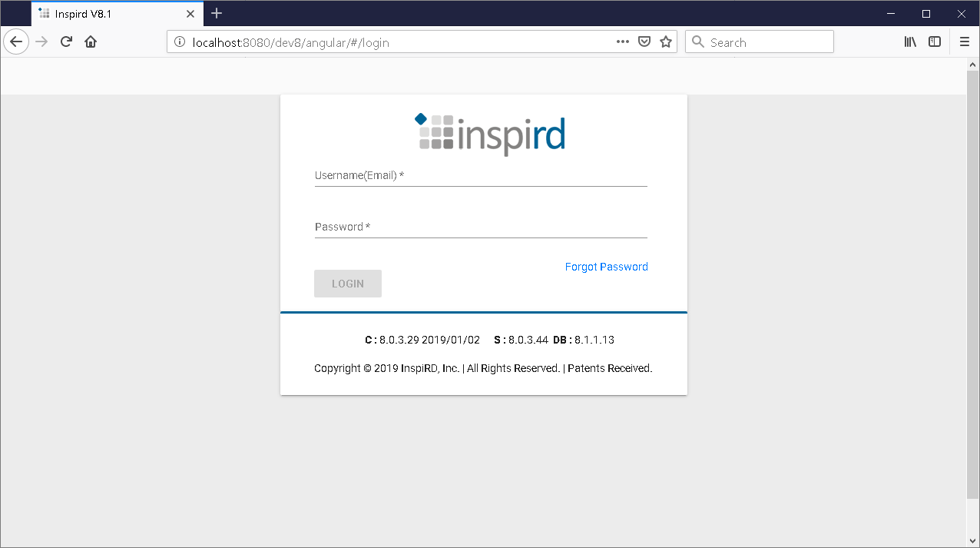
The login page for a correctly functioning application should show Client, Server and Database version numbers below the blue line. If you do not see four numbers separated by periods after C:, S:, and DB:, the application is not setup correctly. Please contact your administrator.
Sometimes, your browsers local cache will have an old version of the application. Please do a hard refresh of the login page (CTRL+F5). The browser will reload the application from the server. The client, server, and DB version will be updated (if a new version is available).
If you have forgotten your password, please click the Forgot Password link. You will be prompted to provide an email address. The password reset link will be emailed to you. Follow the prompts to reset your password.
Login page error messages and resolutions:
- Invalid User ID / Password: Please try again with correct email address and password.
- User not activated: The invitation to join the application has expired. Ask your super-user to resend the invitation.
- Database Not Connected: Please contact your administrator – the application is not setup correctly.
- Database Version Changed: Please contact your administrator – the application is not setup correctly.